A Non-Designer’s Guide to Print-Ready Files
You know that feeling when your printer emails you back and says, “Can you resend this in CMYK at 300 DPI, with bleeds?” and you’re just left staring at the screen like it’s a different language?
You’re not alone.
Most small business owners don’t speak “designer,” but you still have to hand off files for postcards, banners, brochures, business cards, and all the other print marketing you rely on. At Davant Indy, we live in this world every day, and our goal is to make it way less confusing for you.
Consider this your non-designer’s guide to CMYK, RGB, DPI, and bleeds—so your next print project feels smooth instead of stressful.
Why Print-Ready File Setup Even Matters
Print can feel old-school compared to social media and email, but it still does serious heavy lifting for small businesses in Central Indiana. The postcard on a kitchen counter, the brochure someone grabs at an event, the sign they drive past every day – those pieces represent you when you are not in the room.
When files aren’t set up correctly, a few things usually happen:
- Colors look “off” compared to your logo and website.
- Photos and logos print fuzzy instead of crisp.
- Text or images end up too close to the edge or slightly cut off.
- You pay for last-minute fixes, file rebuilds, or even reprints.
None of that feels good, especially when you’re investing real money into your marketing. A little knowledge upfront means fewer surprises and a smoother print experience with us at Davant Indy.
CMYK vs RGB for Print: Why Your Colors Keep Changing
Let’s start with the one that causes the most panic: the color shift.
On your screen, everything is built with light using the RGB colors: Red, Green, and Blue. That’s how phones, monitors, and TVs display color. It is bright, punchy, and can show colors that ink can’t physically reproduce.
On paper, we’re working with ink. That’s CMYK: Cyan, Magenta, Yellow, and Key (black). Instead of light, we’re layering tiny dots of ink on paper. When an RGB file is sent straight to print, it has to be converted to CMYK, and that’s when your bright electric blue suddenly looks more like a conservative navy.
So when you think about CMYK vs RGB for print, here’s the simple rule: anything headed to a press should be in CMYK, not RGB.
The good news? You don’t have to figure out every setting on your own. If you send us your files and something’s still in RGB, we’ll let you know and help convert it so your colors land as close as possible to what you expect. Over time, this consistency builds trust in your brand because your print pieces match your digital presence instead of feeling like distant cousins.
DPI for Printing: The Real Reason Things Look Blurry
Resolution sounds very technical, but you already know what it looks like when it goes wrong: pixelated photos, soft logos, and text that just feels a little fuzzy.
DPI stands for “dots per inch,” and it tells us how much detail is packed into an image. Screens can get away with lower resolution. Print cannot.
For most print projects, you want 300 DPI for printing at the actual size the image will appear. That means:
- A logo on your business card should be 300 DPI at that card size.
- A photo on your postcard should be 300 DPI at the size it prints, not just whatever size it was copied from your website.
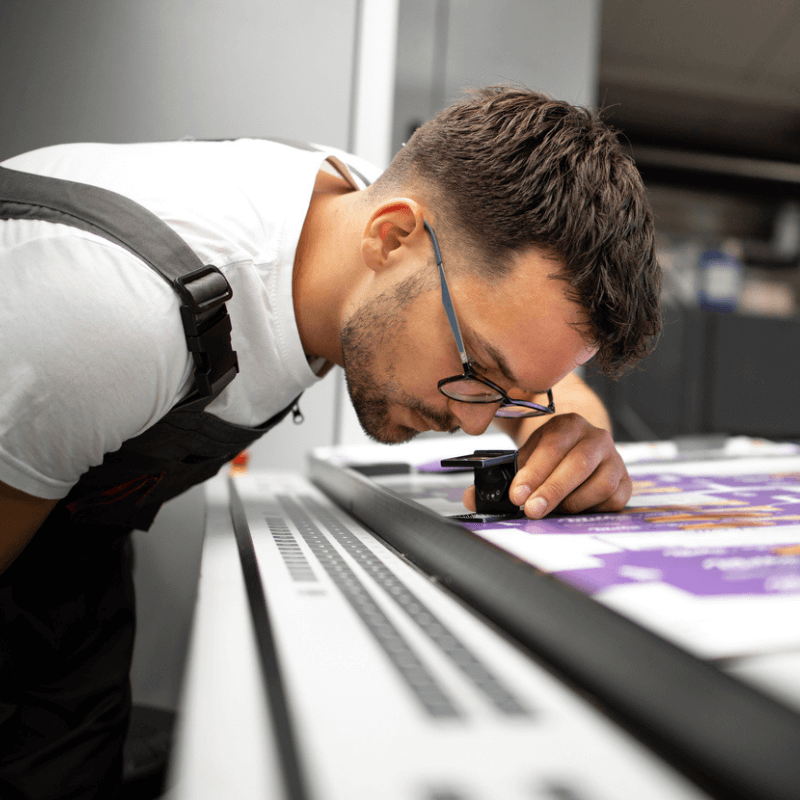
Web images are often only 72 DPI or 96 DPI, because they’re meant to load quickly on screens. Using those same images in print is like stretching a small photo into a poster. It might look okay on the monitor, but once it’s on paper, every flaw shows up.
At Davant Indy, we check your files for resolution before sending them to press. If something is too low to print well, we’ll flag it and help you find a better version or suggest alternatives. That way, your brand always shows up crisp and professional, whether it’s on a small rack card or a huge banner.
Bleed and Trim Marks: Protecting the Edges
Now for the two most mysterious terms: bleed and trim marks.
Printing isn’t done one piece at a time. Your design is printed on a larger sheet, which is then cut down to the final size. Paper can shift slightly during the cutting process. If your background color or photo stops exactly at the edge of your finished size, even a small shift can leave a thin white line along the border.
Bleed solves that. A bleed is an extra image or color that extends slightly past the final size, usually by about 1/8 of an inch on all sides. That gives the cutting process room to move without exposing an unprinted edge.
Trim marks, on the other hand, show where the piece is supposed to be cut. They don’t print on the final piece you hand to customers. They’re guides for the finishing process.
If your postcards have ever come back with odd white slivers along the edges, there probably wasn’t enough bleed built into the file. When we handle your design and print-ready file setup, we include bleed and trim marks for you, so the only thing you notice is a clean, professional edge.
Common Print-Ready File Mistakes (& How to Dodge Them)
Most file issues we see from small businesses boil down to a few familiar patterns:
- You only have your logo as a tiny JPEG pulled from your website.
- You’re building flyers in Word or PowerPoint with no bleeds.
- Images are screenshots instead of original photos.
- Everything is in RGB because that’s how it comes out of your design app by default.
None of this means you are doing anything “wrong.” It just means you haven’t had someone walk you through what works best for printing.
We’re happy to help you upgrade piece by piece, whether that means getting vector versions of your logo, rebuilding key files, setting up templates for postcards, brochures, and rack cards, or ensuring all future projects start with the right foundations.
How Davant Indy Makes Print-Ready Simple
You don’t need to memorize every spec to hand off good files. That’s our job. When you work with Davant Indy, you get a partner who:
- Reviews your files for CMYK vs RGB for print and fixes color modes when needed.
- Checks DPI for printing so images stay sharp instead of blurry.
- Builds designs with bleed and trim marks so everything finishes cleanly.
- Helps you organize your logo files and brand elements for consistent use across projects.
We can jump in at whatever point you are in the process. Maybe you have a rough layout and need it finalized for a print-ready file setup. Maybe you only have a logo and an idea, and want us to handle the design and printing. Either way, our goal is to protect your time and your brand while making you look good on paper.
Bringing It All Together: You Don’t Have to Speak “Designer”
Understanding CMYK vs RGB for print, DPI for printing, and bleed and trim marks isn’t about turning you into a designer. It is about giving you enough clarity so you don’t feel lost every time a new print project comes up.
When your files are print-ready:
- Colors stay consistent with your brand.
- Logos and images print clean and professional.
- Pieces come back from the printer looking the way you pictured them.
- You avoid delays, extra charges, and “we need to fix this” emails.
Print should feel like a confident extension of your business, not a guessing game.

Ready to Make Your Next Project Truly Print-Ready?
If you have a project coming up and you are not sure your files are ready, that’s exactly what we’re here for. Davant Indy can help with design, print-ready file setup, full-service printing, and even promotional materials that carry your brand into the real world.
Let us handle the jargon so you can focus on running your business.
Contact us at (317) 849-6565 to talk through your next print project, clean up your files, or let our team design and print everything from scratch.